Qualification Matrix
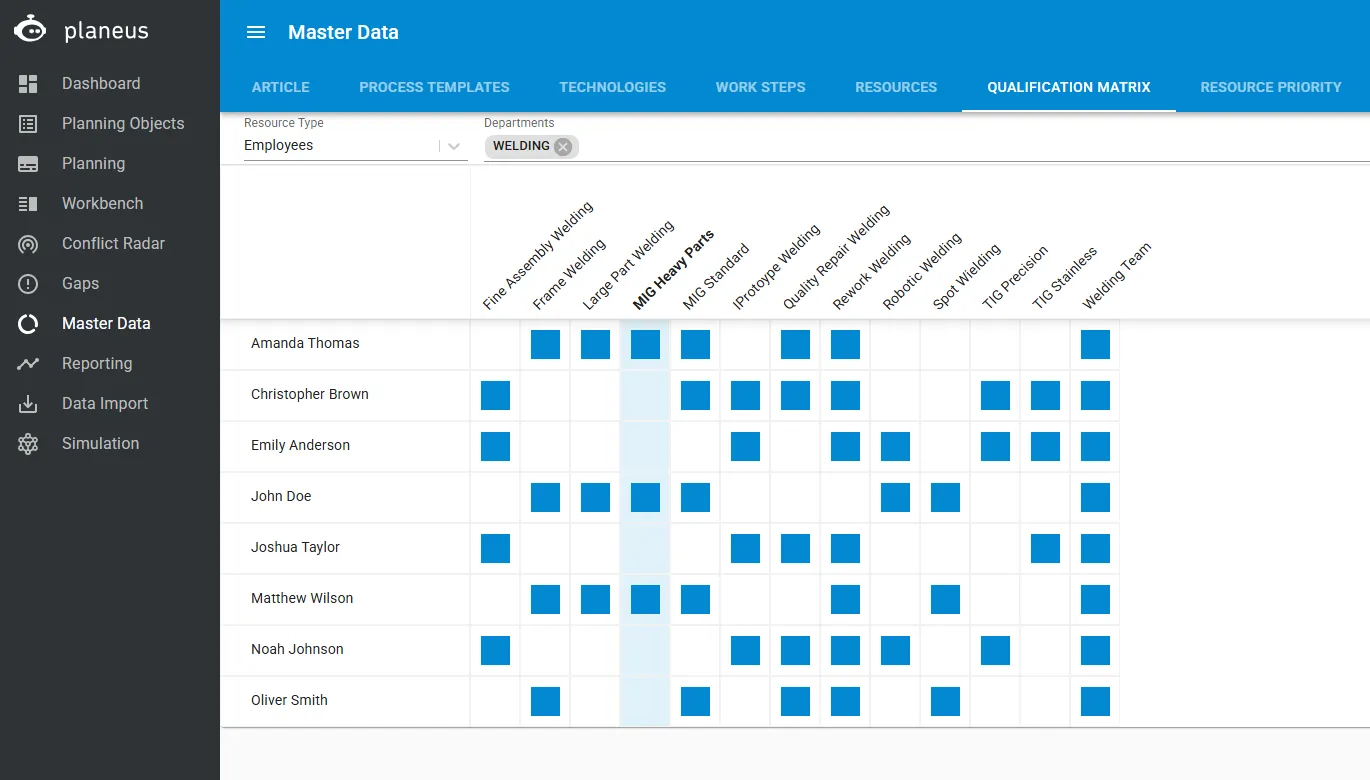
The Qualification Matrix gives you simple way to see and manage ResourcesResources and Resourcesresource groups.
It shows which employees, machines, or tools belong to which qualifications. Here, the Resource Group is the qualification.
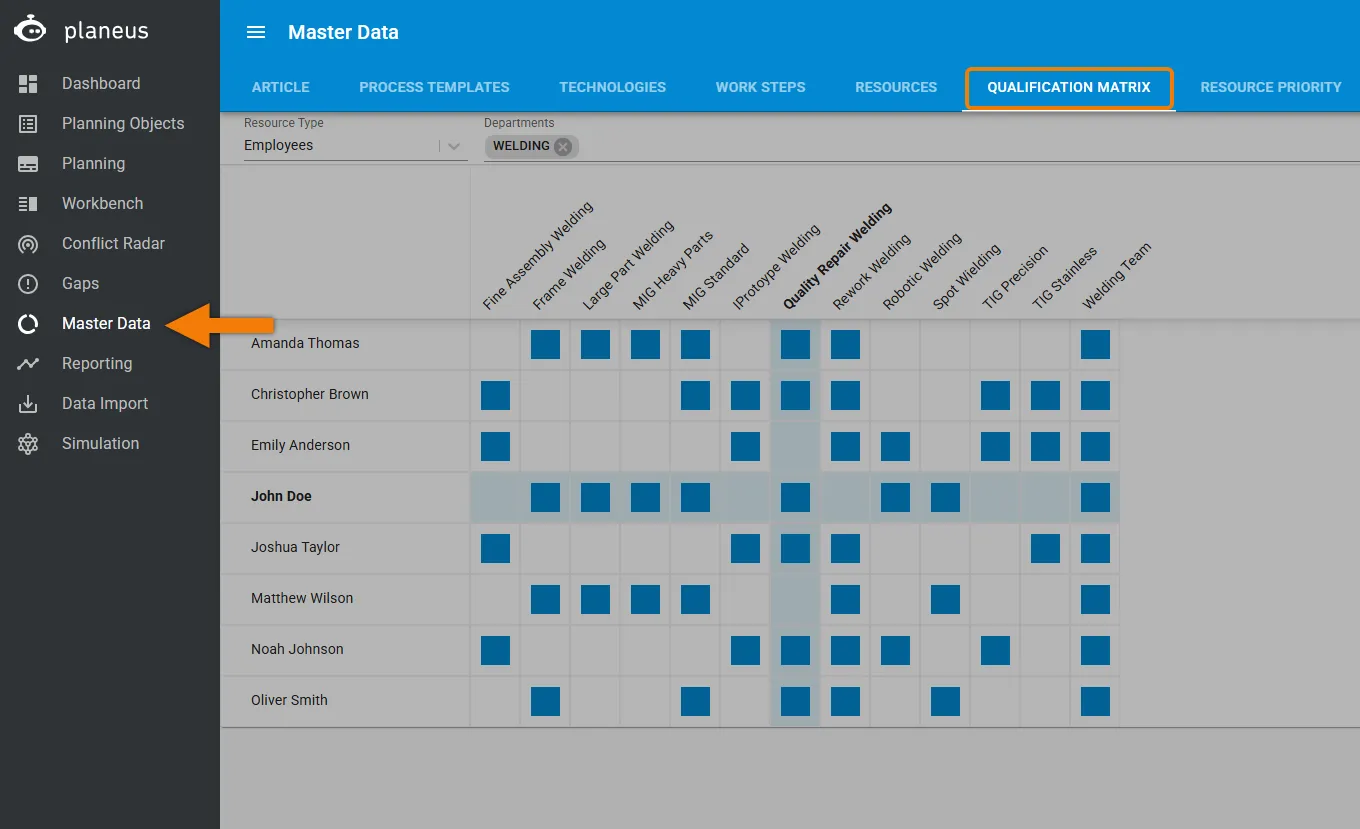
How to access Qualification Matrix
You need two active licenses to use the Qualification Matrix:
- Qualification Matrix
- Multi-Functional Resources
The menu item is only shown when both licenses are active.
User permissions
User permissions also decide whether this logic is visible and editable:
- Read Resources lets users open and view the Qualification Matrix
- Write Resources lets users change or create qualification assignments
If a user does not have the needed permissions, the Qualification Matrix will not be shown.
How it works
When you open the Qualification Matrix, you see all resource groups and resources in a table.
- The list is sorted by Resource name
- The table shows which Resources are linked to which qualifications
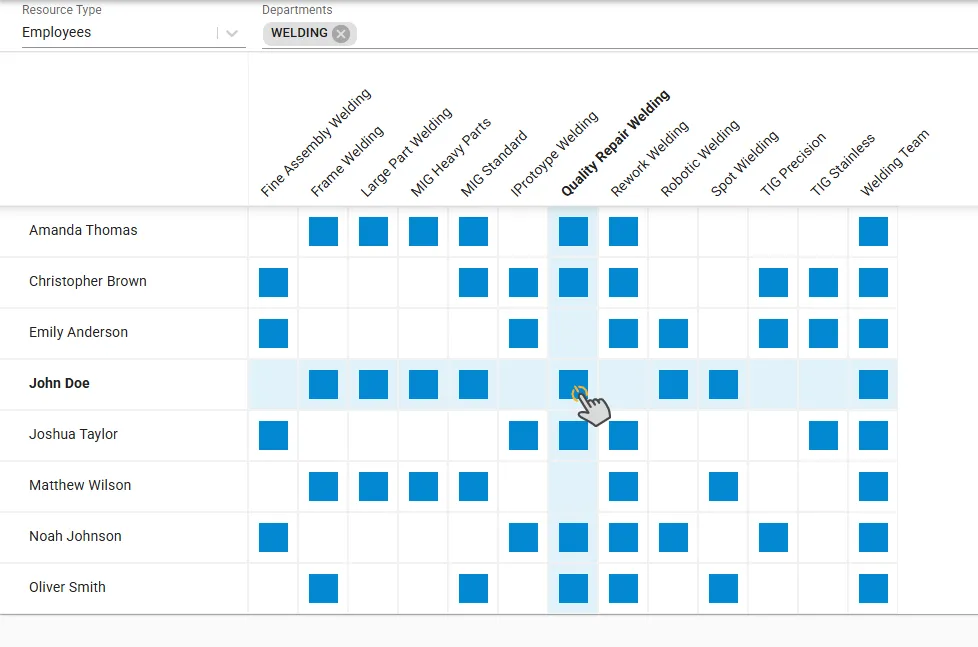
- If a resource is assigned to a new Resource group, the related row and column are highlighted
Using filters
You can use filters to show only the data you need.
For example, you can filter by Resource Type:
- Machine
- Employee
- Tool
You can also filter by Departments.
You can set up your Departments in ConfigurationConfiguration > Organization > Departments
Archived resources
With the gear icon in the top right, you can choose whether archived resources are shown or hidden.
This helps keep the view clear and focused on active resources.