External Partner
The External Partner feature in planeus lets you give suppliers or service partners restricted, secure access to part of your plan—helping you create a more transparent supply chain.
External Partners can only use Workbench Classic, while Workbench Terminal is reserved for internal users.
What can an External Partner access?
- You can mark certain users as External Partners.
- External Partners can only see:
- Work Steps on resources assigned to them.
- Optionally, Processes linked to the same Production Orders as their assigned resources.
- You can grant External Partners access to the following modules:
- Planning Objects
- Planning (view-only)
- Dashboard
- Workbench
External partners see only data relevant to their work—nothing more, nothing less.
Defining an External Partner User
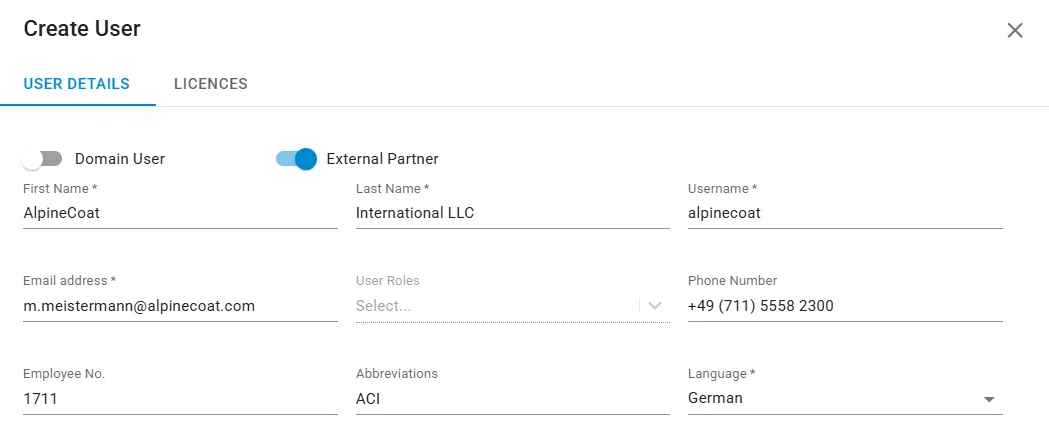
- Create a new user acount for your partner.
- Mark the user as an External Partner in User Management.
- Once marked, you can assign the partner licenses for the specific modules they can access.
You only need a External Partner license to manage all your partners!
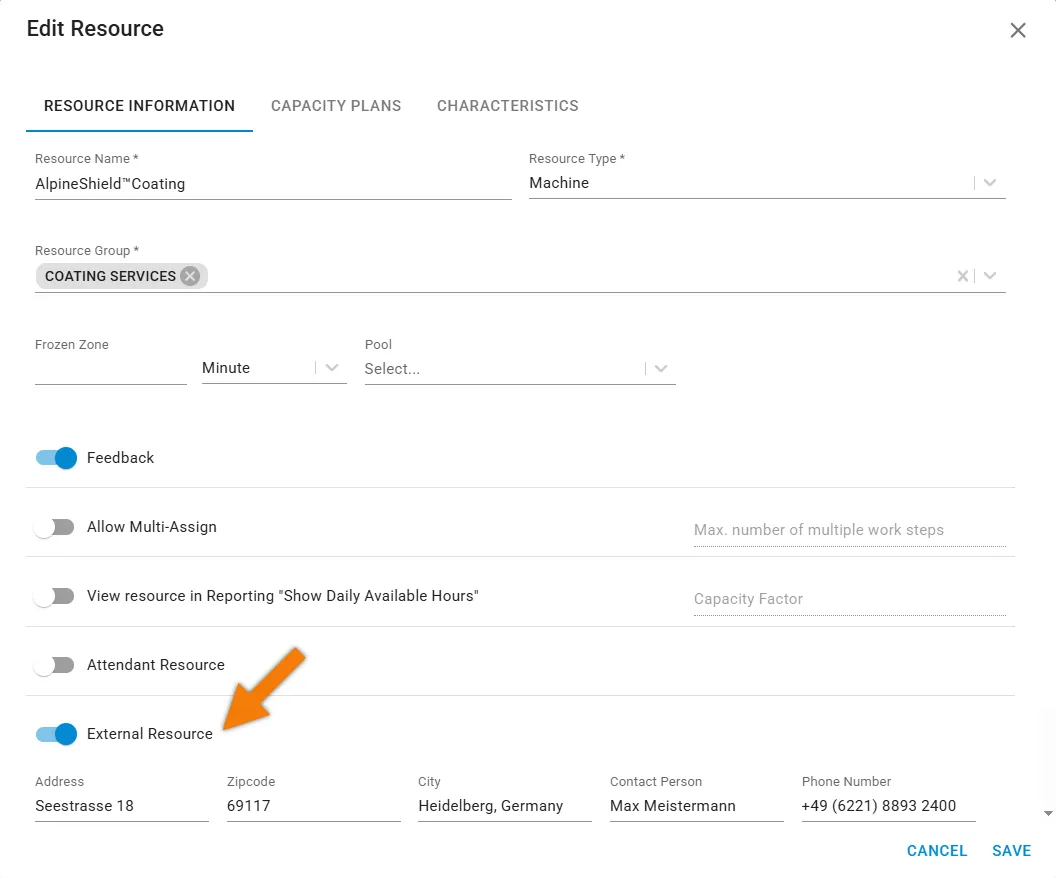
Marking Resources as External
In Master Data → Resources:
- Simply enable one or more Resources as External Resources.
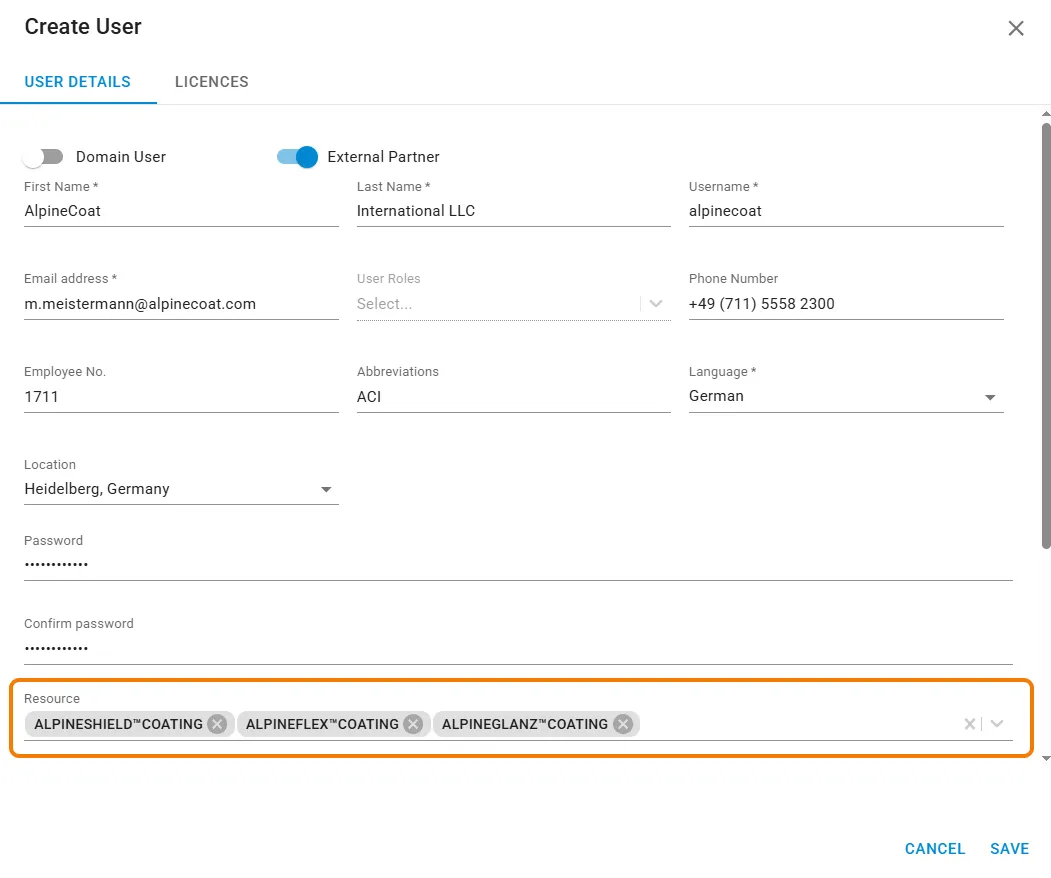
Linking External Resources to an External Partner
Then, link those External Resources to the External Partner user. This ensures they only see data related to the External Resources they’re involved with.
Allow External Partner to manage Processes
If needed, you can allow partners to handle some of your non-operation related Processes.
- In User Management, enable the option “Allow Process Feedback” for the partner user.
Partners can only see Processes when
- They belong to the same Production Order as the assigned Work Steps.
- The Production Order includes at least one Work Step on the partner’s External Resource.
What External Partners Can See
Once set up, your External Partner can view:
- Work Steps on their assigned resources
- Related Processes (if granted access)
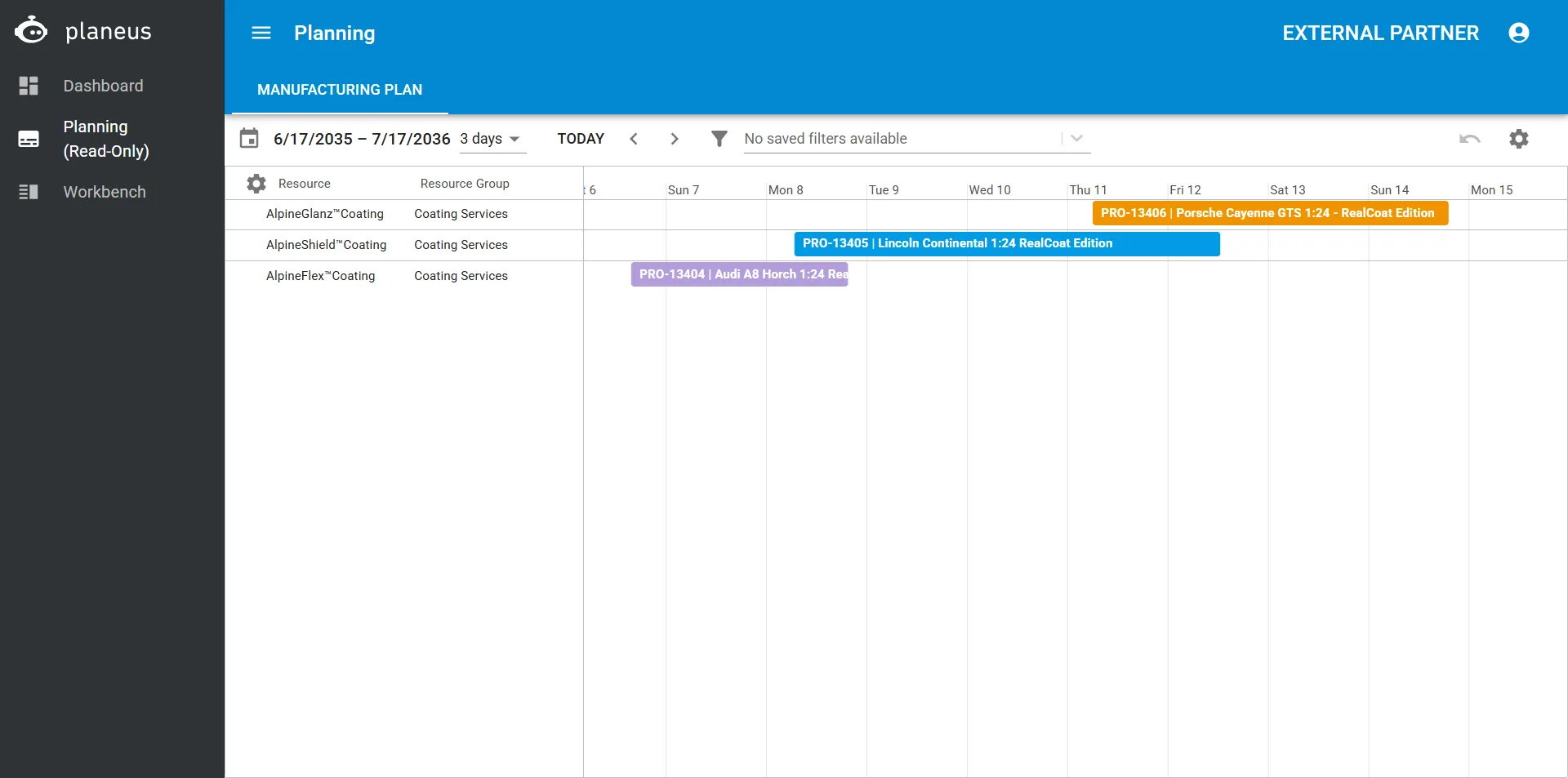
- Planning (read-only view)
- Workbench (Classic or Terminal)
- Data on the Dashboard relevant to their resources
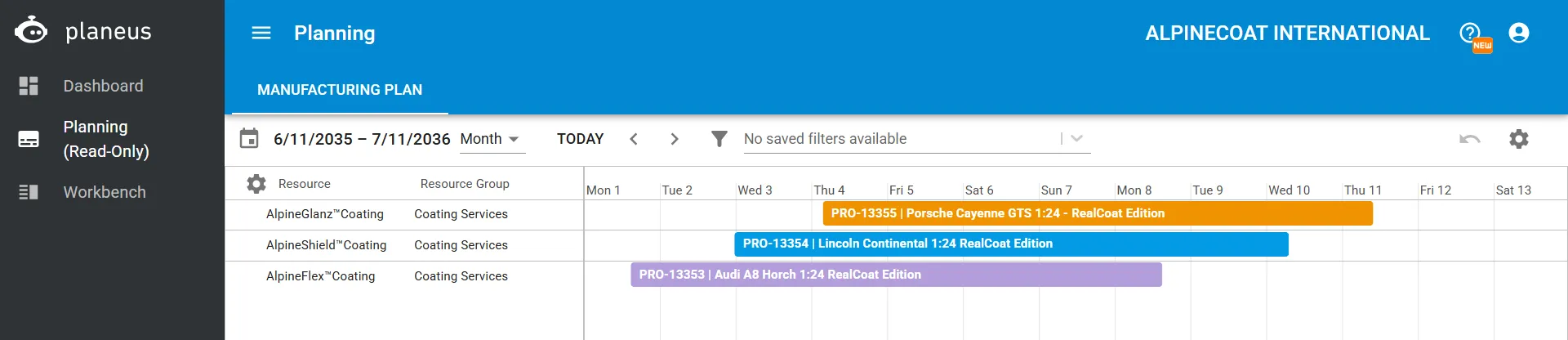
Example: Gantt chart for a coating service partner
Configuring Views for External Partners
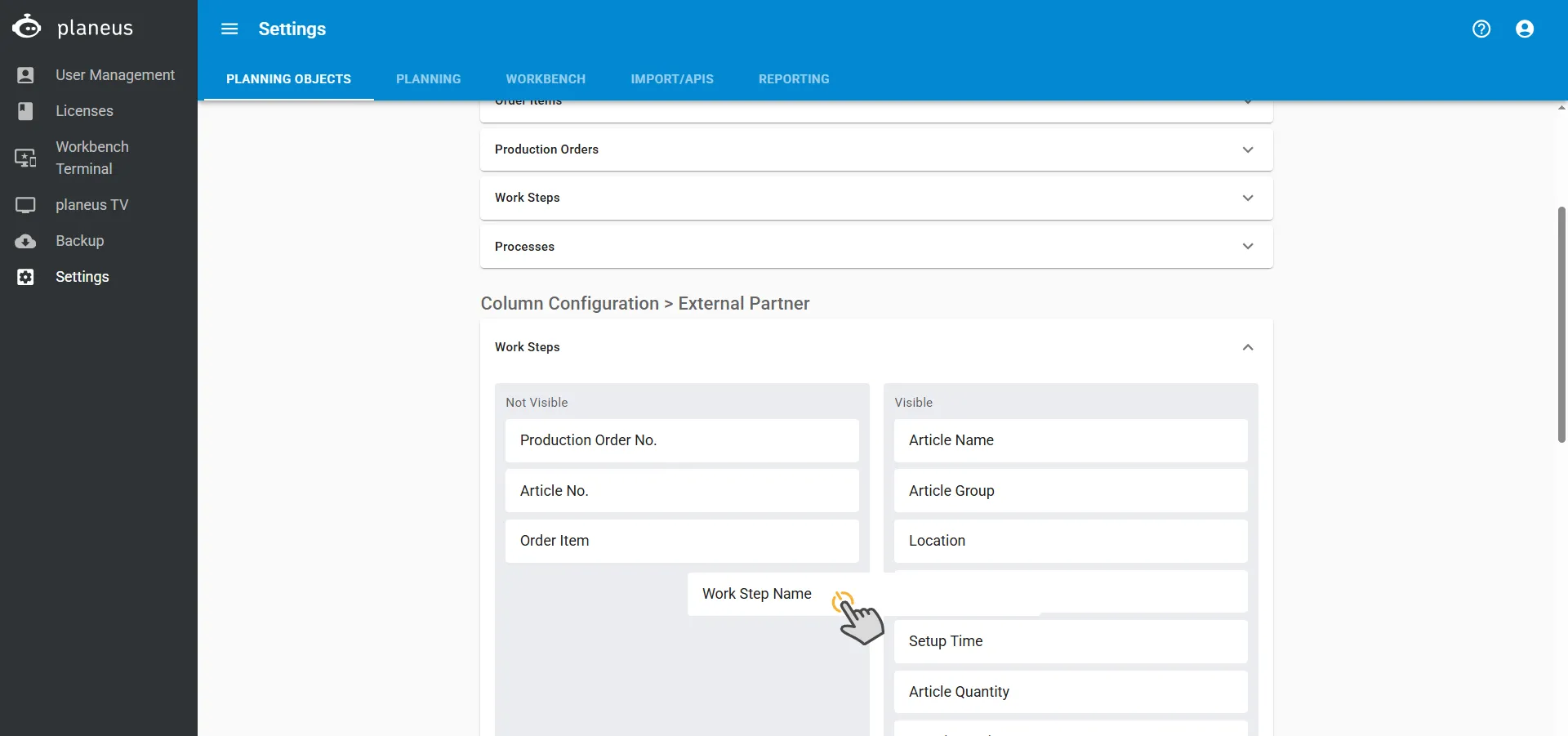
In Administration → Settings, you can customize:
- Which columns are visible to External Partners in:
- Work Step lists
- Process lists
This helps you control exactly how much detail your partners can see.
The External Partner feature makes your external contractors or supply chain management more transparent and collaborative—while keeping your data secure and strictly controlled!